
The short version
- Reverse-image search uses a picture as the query instead of relying only on words, filenames or captions.
- The engine converts visual information into a fingerprint, feature set or embedding and compares it with images already stored in its index.
- Some systems specialize in finding copies and edited versions of the same image; others also identify objects and return semantically similar pictures.
- A search engine does not search every image on the live internet when you upload a file. It can only return material its systems can access and recognize.
- The earliest result is not automatically the original source, and an empty search does not prove an image is new, authentic or unpublished.
The picture becomes the search query
Normal search begins with language.
You type red car on bridge, and the search engine tries to find pages and images associated with those words.
Reverse-image search begins with the image itself.
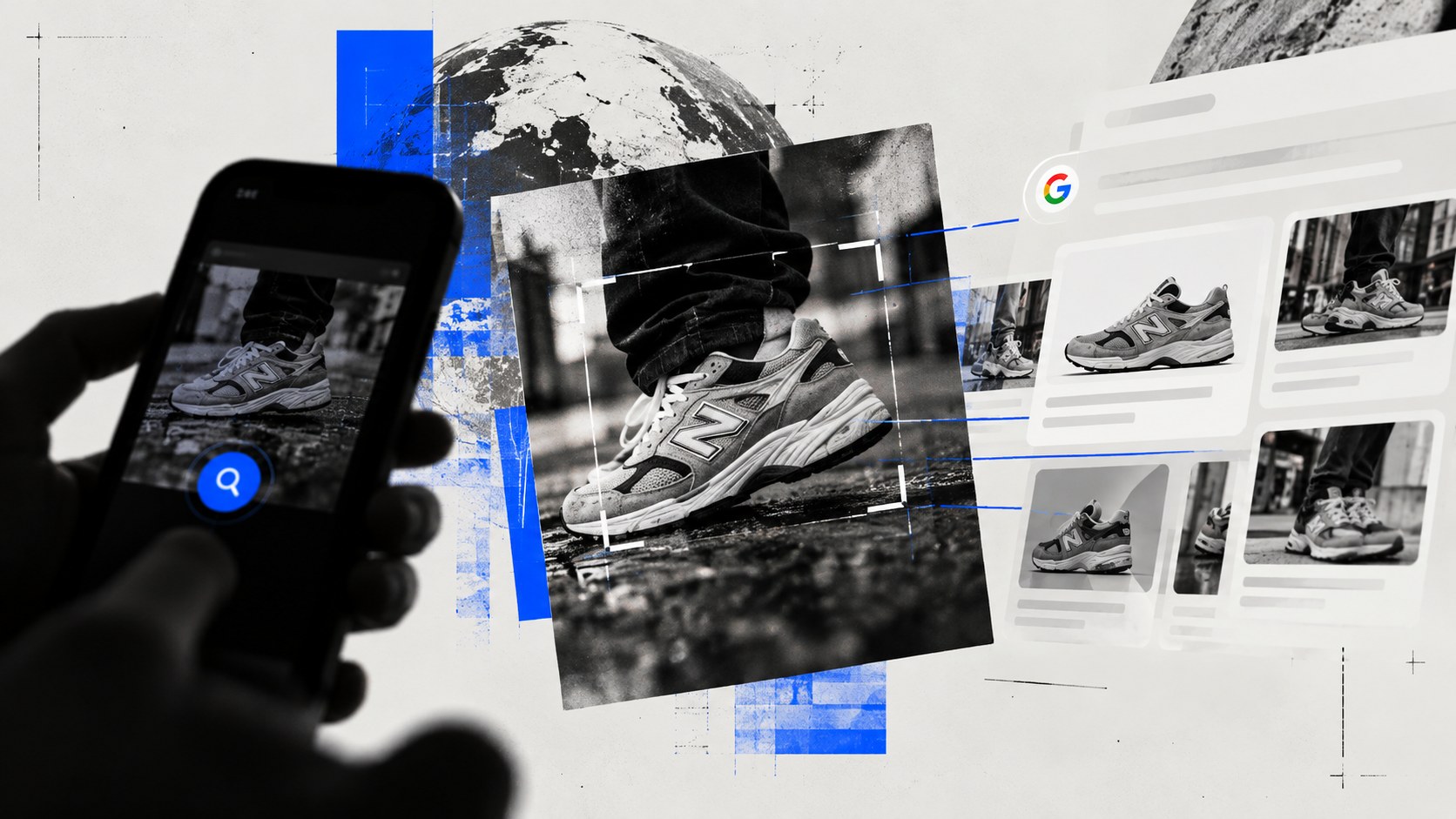
Upload a photograph to Google Lens, TinEye or Bing Visual Search and the service analyzes what you gave it, compares that information with images it already knows about, then returns the closest candidates.
That sounds simple. The interesting part is what “closest” means.
A cropped copy of the same photograph is close in one sense. A different photograph of the same pair of shoes is close in another. A picture of a completely different shoe with roughly the same colour and shape may also be visually close.
Modern visual-search systems can deal with several of those problems, but they do not all solve them in the same way.
There is no single reverse-image-search algorithm.
First, the engine needs an image index
The search does not begin when you upload your photograph.
Long before that, the service has been building an index.
TinEye says it continuously crawls the web and creates a searchable index of images it encounters. Search engines such as Google and Bing also maintain enormous indexes assembled through their wider crawling and search infrastructure.
That distinction matters because reverse-image search is sometimes described as though the service scans the entire internet after you press Search.
It does not.
A simplified version looks more like this:
- The engine discovers or receives images.
- It analyzes those images in advance.
- It stores machine-readable information about them in an index.
- You submit a new image.
- The engine analyzes your image using compatible methods.
- It searches the existing index for strong matches.
- Candidate results are ranked and shown to you.
This is why an image can exist publicly and still fail to appear in a reverse search. The page may not have been crawled. The image may sit behind a login. The site may block indexing. The engine may not recognize the altered version. Or that particular search provider may simply not have it.
An empty result means the search you ran did not produce a useful indexed match.
It does not mean the photograph has never appeared online.
A photograph has to become something searchable
Comparing every uploaded picture pixel-for-pixel against billions of other files would be both expensive and surprisingly fragile.
Save the same photograph at a different resolution and the raw pixels change. Compress it as a JPEG, add a caption or crop ten percent from the edge and they change again.
So image-search systems extract more useful representations of what they see.
One approach is a visual fingerprint
TinEye describes its system as creating a compact digital signature, or fingerprint, from an image and comparing that fingerprint with those in its index.
The goal is not to remember the exact file byte-for-byte. It is to capture visual patterns strongly enough that modified versions can still be recognized.
That is why TinEye can locate versions of the same picture that have been resized, cropped or edited.
TinEye also makes an important distinction about what it is trying to find: it generally searches for the same image or modified versions of it, rather than simply returning different photographs that happen to contain the same subject.
That is classic reverse-image-search behaviour.
Another approach represents visual meaning
Broader visual-search systems can go further.
A machine-learning model can convert an image into a high-dimensional numerical representation commonly called an embedding. Images with related visual characteristics or meaning can end up near one another in that mathematical space.
Google’s developer documentation for its ImageSearcher describes this pattern directly: extract an embedding from the query image, then perform similarity search against an index of embeddings.
Microsoft has publicly described related machinery inside Bing Visual Search. Its technical explanation includes object detection, deep-neural-network features, recognition features and signals used for duplicate detection, followed by candidate ranking based partly on distances between feature vectors.
You do not need to understand the mathematics to understand the consequence.
A system built this way can search for more than this exact file.
It can ask something closer to what else looks like what I am seeing?
Exact match and visual similarity are different jobs
This is why two reverse-image tools can receive the same picture and give very different answers.
| Question | What the system needs to find |
|---|---|
| Where else has this photograph appeared? | Exact or near-duplicate image matches |
| Has this photograph been cropped or edited? | Robust partial or modified-image matches |
| What object is in this photograph? | Object recognition |
| Show me similar furniture. | Semantic or visual similarity |
| Where can I buy this product? | Object recognition plus product/search data |
| What is the earliest source? | Matching plus historical/source-page investigation |
Google says Lens results can include recognized objects, visually similar images and websites containing the image or a similar image. Bing likewise presents Visual Search as a tool for identifying objects, finding related images and locating products.
TinEye is more deliberately focused on matching copies and modifications.
None of those approaches is universally better.
They are answering different questions.
The index is searched by similarity, then the results are ranked
Once the query image has been converted into usable visual features, the engine needs to locate promising candidates without exhaustively performing the most expensive comparison against every indexed image.
At large scale, this becomes a retrieval problem.
Potential matches can be narrowed to a smaller candidate set using efficient similarity-search techniques. More expensive ranking steps can then decide which candidates deserve the highest positions.
Microsoft’s published description of Bing Visual Search illustrates the scale of the problem: it described reducing millions of candidate images to thousands through approximate vector search before applying more detailed ranking and deduplication.
The important result for the user is simpler.
Reverse-image search is usually ranking similarity, not producing a binary “same” or “different” verdict.
A high-ranking result is a lead.
You still need to open it.
Cropping an image can make a search better
This sounds backwards. Surely giving the search engine more of the image should give it more information.
Sometimes.
But imagine you are checking a photograph embedded in a screenshot of a social-media post.
Your search image now contains:
- the photograph;
- profile-picture graphics;
- usernames;
- interface buttons;
- captions;
- borders;
- notification icons;
- empty background.
If the actual question is where the photograph came from, much of that material is noise.
Google Lens explicitly lets users select a smaller region of an image before searching. In practice, isolating the distinctive part you care about can change the results dramatically.
The opposite is also worth trying. If someone has aggressively cropped an image before reposting it, searching a less-cropped or higher-resolution copy may expose more distinctive features and produce better matches.
For verification work, keep the untouched file and make separate search copies.
Reverse-image search can find an earlier use. That does not make it the original.
Suppose a photograph is being shared today as footage of today’s storm.
A reverse search finds the same picture in a 2022 article.
That is immediately useful. Whatever the image depicts, it was not first created by today’s storm.
But finding the oldest result on your screen is not the same as identifying the photograph’s true origin.
TinEye is explicit about this limitation. Its “first found on” date records when TinEye’s crawler first encountered a matching image. It does not necessarily record when that image was first published.
Google’s About this image feature uses similarly careful language. It can show when Google may first have seen the image or a similar version, other pages using it and pages that appear substantially earlier than other results.
Those dates are valuable chronology.
They are not a certificate of authorship.
An image could have circulated privately before reaching the open web. A photographer’s original page could disappear. A repost might be indexed before the source. Two sites may publish licensed copies at nearly the same time.
The reverse search finds traces. Establishing the source can require following them.
Why different search engines find different images
Run the same photo through three services and the overlap can be surprisingly small.
There are several reasons.
Their indexes differ. One crawler may have encountered a page that another never reached.
Their matching systems differ. A service optimized for near-duplicates may recover an old crop that a semantic engine ranks poorly. A system designed to recognize objects may return visually similar products instead.
Their ranking systems differ. Even when two engines possess the same candidate, they may disagree about how useful it is.
And your query matters. A full screenshot, tight crop, compressed meme and original photograph can each produce a different representation of the same underlying image.
For difficult searches, using more than one engine is not redundant. You are querying different indexes with different retrieval systems.
What reverse-image search can actually prove
Reverse-image search is powerful because it turns a picture into a path toward source material.
It is weak when the search result itself is treated as the conclusion.
A match can establish that a visually matching image exists on another indexed page.
That may help show that:
- a supposed current-event image is actually years old;
- a marketplace seller is using a photograph already published by a retailer;
- a profile picture also appears on a stock-photo site;
- an image has been cropped, captioned or recoloured;
- a photograph has circulated through several unrelated stories.
It does not, by itself, prove:
- who originally took the photograph;
- who owns its copyright;
- who controls an account displaying it;
- whether the caption on the earliest page is true;
- whether the depicted event actually happened as described;
- whether a person in the photograph consented to its use;
- whether an unmatched image is authentic.
This is the same distinction that matters with screenshots generally: locating the file is not automatically the same as verifying the wider claim attached to it.
AI-generated images make the limitation easier to see
Reverse-image search is sometimes used as an informal AI detector.
That can work accidentally.
If an alleged photograph of an event turns out to be a recycled illustration from three years earlier, the reverse search has demolished the current claim. If the image comes from a page that openly labels it as generated, that source is highly relevant.
But no matching result does not mean “real photograph.”
A newly generated image may never have been indexed anywhere else. A genuine private photograph may also have no match.
And a semantic visual-search engine can return images that merely look similar without sharing the same origin.
Reverse search answers a retrieval question: what indexed material resembles or matches this image?
AI detection is a different problem.
A stronger reverse-image-search workflow
When the image actually matters, do more than upload it once.
- Save the original you received. Avoid repeatedly resaving or editing your only copy.
- Search the complete image. See whether obvious duplicates appear.
- Crop to the distinctive subject. Remove social-media chrome, borders or unrelated background when useful.
- Try another engine. Different indexes and matching methods produce different evidence.
- Open the source pages. The thumbnail grid cannot tell you who published the image, when the page appeared or what claim surrounded it.
- Compare dates carefully. Treat crawler or indexing dates as evidence of an earlier known appearance, not guaranteed creation dates.
- Look for the strongest source, not merely the first result. A photographer’s portfolio, original news report, official document or first-party post may matter more than dozens of reposts.
- Write down what remains unknown. If you found an earlier copy but not the creator, say exactly that.
The search engine is very good at doing the computational part.
The last step is still reasoning.
Reverse-image search is a lead generator, not a truth machine
The useful mental model is not “Google will tell me whether this image is real.”
It is:
The engine will compare this picture with visual material it has indexed and show me promising connections.
Those connections can be extraordinarily revealing. One old copy can expose a recycled disaster photo. One stock listing can unravel a fake profile. One uncropped version can restore context that disappeared through reposting.
But the system sees an image-search problem, not the entire story behind the image.
It can help you find where to look.
Verification begins when you open the result.
Sources & reference material
- Search with an image on GoogleGoogle Search Help · Accessed Oct 10, 2026
Current reference for Google Lens image-search results, including objects, similar images and websites containing the image or a similar image.
- How does TinEye work?TinEye · Accessed Oct 10, 2026
Primary reference for TinEye's visual-fingerprint matching, web-crawled index and ability to locate cropped, resized and edited versions of an image.
- What does TinEye “first found on” mean?TinEye · Accessed Oct 10, 2026
Primary reference explaining that a crawler's first-found date is not necessarily the date an image was first published online.
- Beyond text queries: Searching with Bing Visual SearchBing · Accessed Oct 10, 2026
Microsoft technical explanation of visual-search query processing using object detection, DNN and recognition features, duplicate-detection signals and feature-vector distance ranking.
- Integrate image searchersGoogle for Developers · Accessed Oct 10, 2026
Technical reference for a modern image-search design that converts an image into a high-dimensional embedding and performs similarity search against a predefined index.
- Learn more about an imageGoogle Search Help · Accessed Oct 10, 2026
Current reference for Google's About this image feature, including similar-image history, early uses, other pages using the image and available provenance information.